Welcome: Shenzhen Xuanguang Lanyu Technology Co., Ltd
Language: Chinese ∷  English

Products

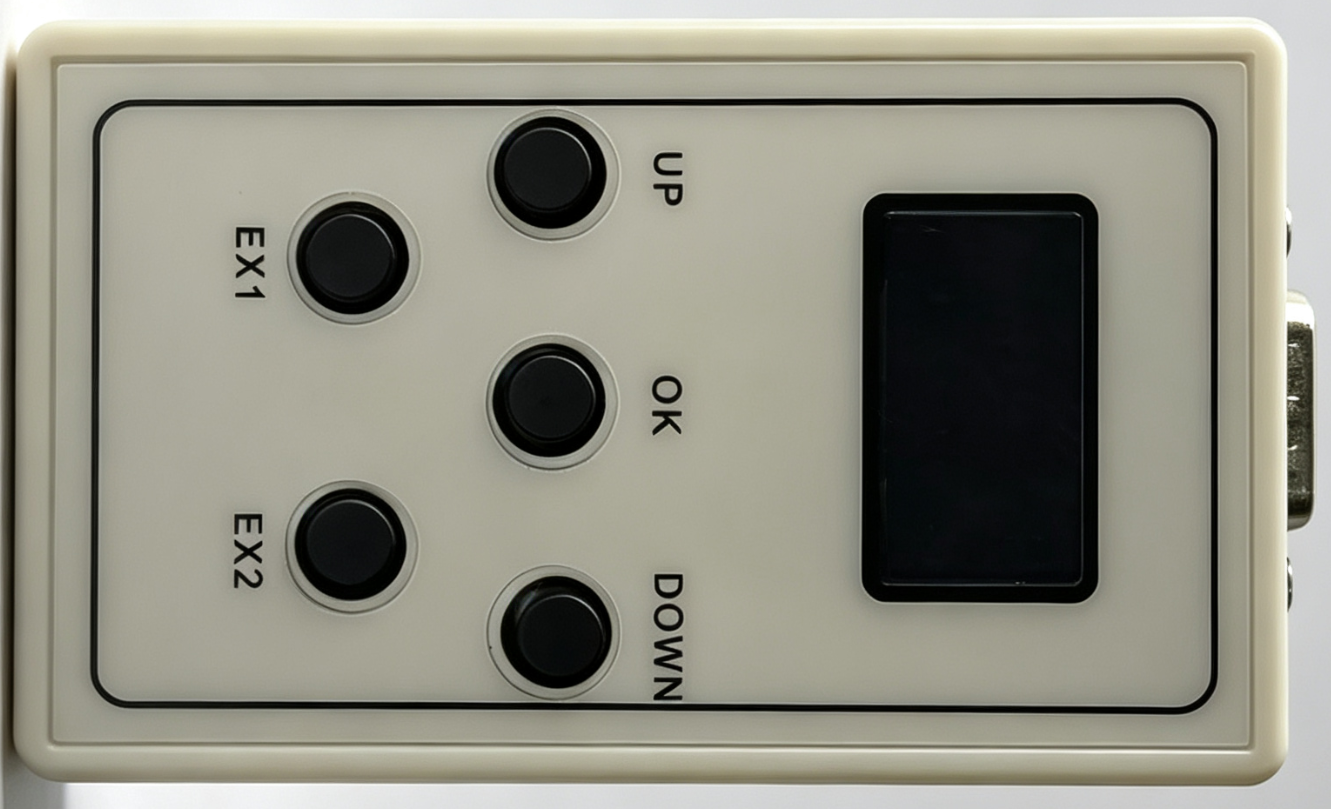
  • TF-RMT_OLED Remote Control Handle
TF-RMT_OLED Remote Control Handle

TF-RMT_OLED Remote Control Handle

  • Product description: Remote Control Handle is designed for remote control of LED displays. Compatible with all multi-area red cards, supports RS232 long-distance communication and USB connection for program updates. Built
  • INQUIRY

Contact Hotlines

18124666001 – Ms. Chen
13798280661 – Ms. Su
17503022350 – Ms. Liang
15323802118 – Mr. Xia
13760432598 – Mr. Wang
18520819769 – Mr. Zhang
19806711571 – Mr. Wang

Parameter Specifications

Current Supply Status: Bulk Supply

1. Core Functions

  1. The TF-RMT_OLED On-Demand Handheld Controller is compatible with all our brand’s zoning red control cards.
  2. Connects to LED control cards via RS232 communication interface, with a maximum control transmission distance of 20 meters.
  3. Built-in navigation keys on the handheld controller for switching to previous/next programs.
  4. Equipped with an integrated OLED display to preview real-time content shown on the LED screen directly.
  5. Supports pre-storing programs and screen parameters locally; stored data can be transmitted to control cards directly without re-uploading programs via PC software.
    Full operation instructions are available for download via the link here.

2. Hardware Wiring Diagram & Key Function Description

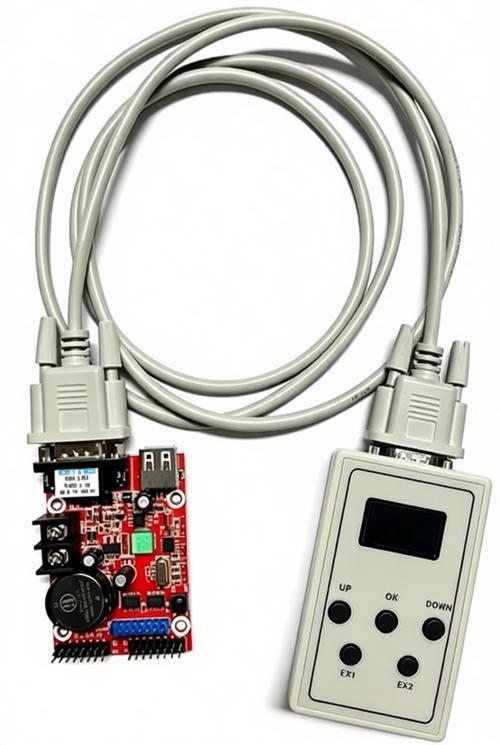
  1. RS232 connection with control card adopts DB9 pins 2, 3, 5 and 9 (cross wiring for Pin 2 and Pin 3).


Caution: Power supply is routed through the DB connector. Hot-plugging of serial cables is strictly prohibited; damage caused by improper operation is not covered under warranty.
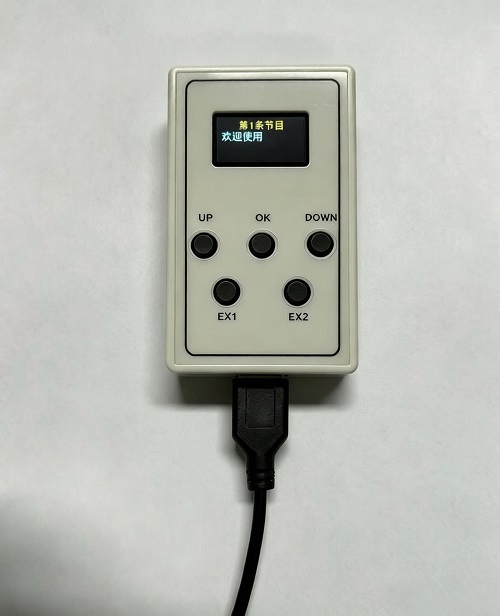
2.The handheld controller can also connect to a PC via USB cable.
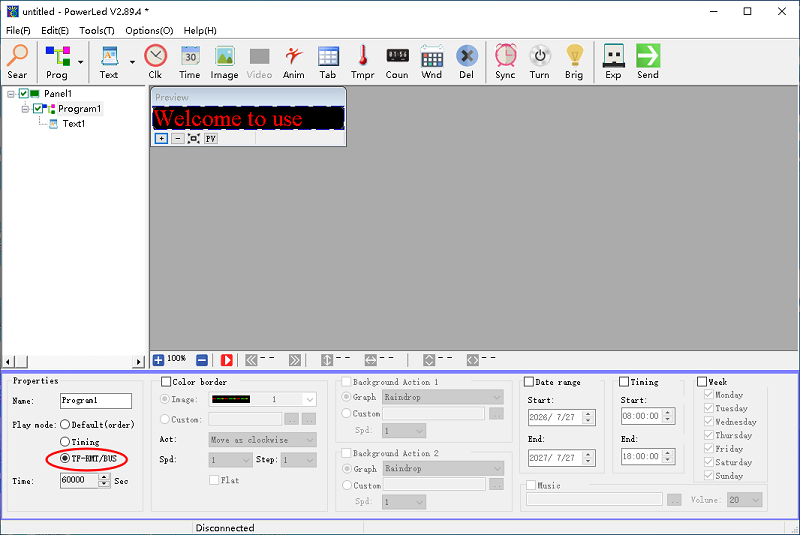

3. Program Import Procedure


  1. Open PowerLed (official supporting software for all zoning control cards). Import multiple programs, set playback mode to Timed Playback, and configure playback duration to 60000 milliseconds.
  2. Click the Send button to transfer programmed content to the on-demand handheld controller.


PREVIOUS: No next
Scan the qr codeClose
the qr code